Appearance
Storefronts
Commercial exteriors usually need two things at once: a new brand identity (signage, awning, materials, interior vibe) and a clean, presentable photo (no passersby, scooters, or sidewalk clutter). Rather than fight both in a single prompt, EDIT handles this best in two passes—restyle first, then clean up— using the output of each step as the input to the next.
Why two passes
Asking the model to redesign a facade and remove people in one shot forces it to split attention, which usually degrades both results. Splitting the work keeps each prompt focused: pass one commits to the new look while people and props still anchor the scene realistically; pass two, working from the already-branded image, only has to clean the plate and reframe.
Step 1 — Rebrand the storefront
Upload your storefront photo and restyle the whole scene—new name, awning, signage material, and interior treatment—while explicitly preserving building geometry, neighboring textures, and natural light so it still reads as the same place.
| Original | Result |
|---|---|
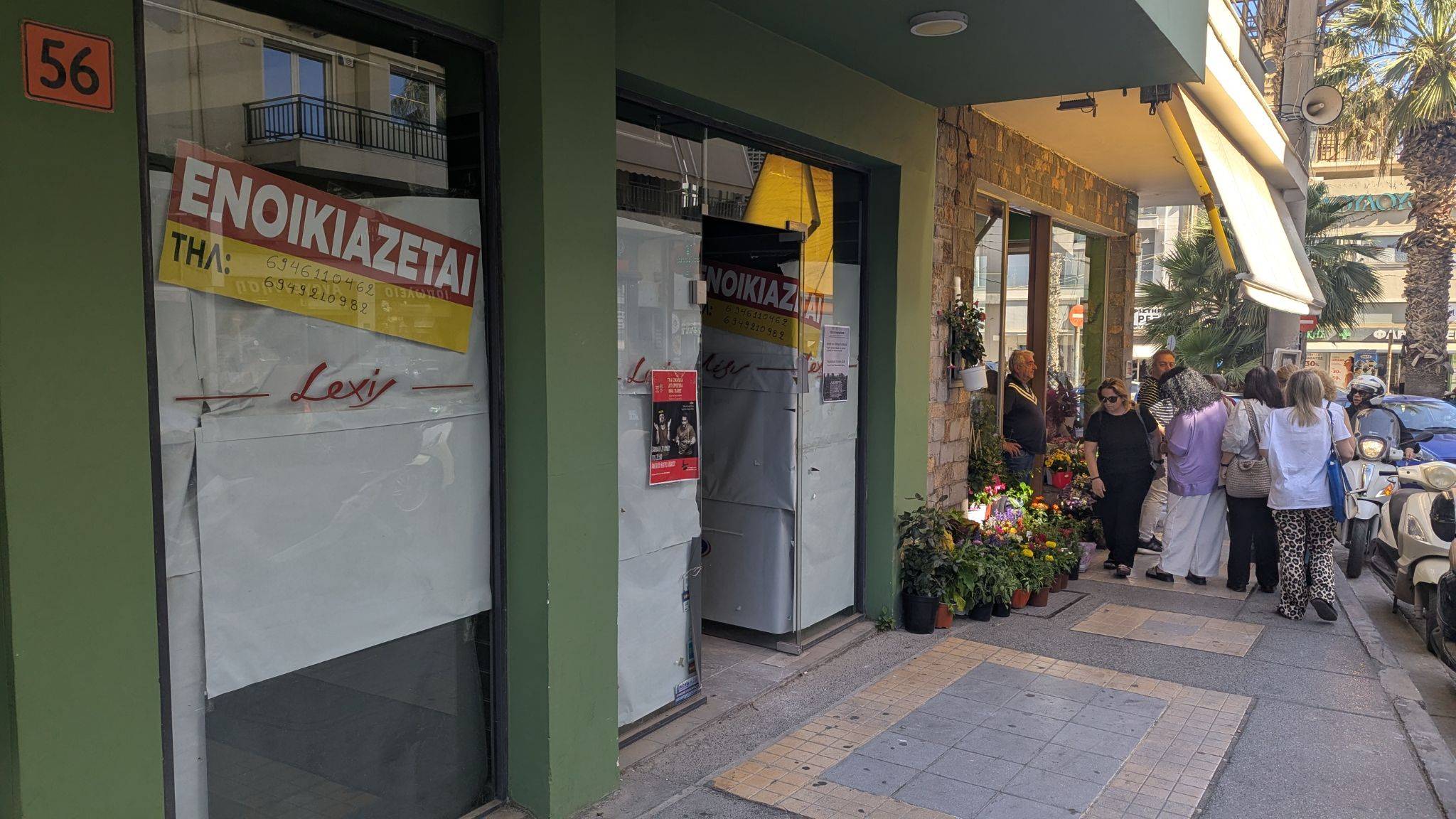 | 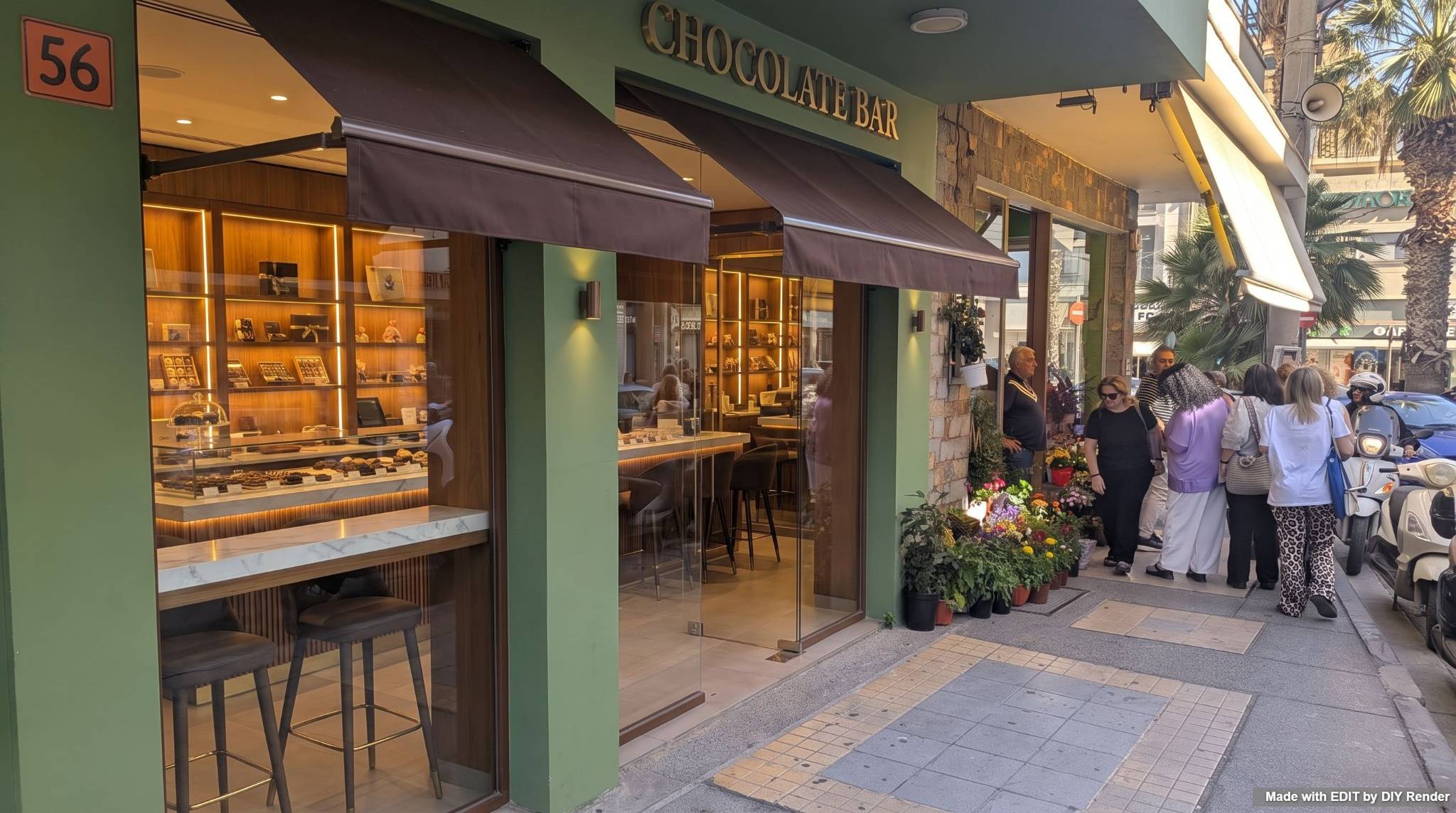 |
Example: Storefront Rebrand
Step 2 — Remove people & reframe
Take the Step 1 result and upload it as the new source. Now ask for a people-free view, remove clutter (people, the scooter, sidewalk items), and nudge the camera to be more parallel to the facade. Tell the model to seamlessly extend the existing wall and paving textures into the gaps, and to retain the exact architecture, glass transparency, and lighting fixtures from Step 1.
| Original | Result |
|---|---|
| 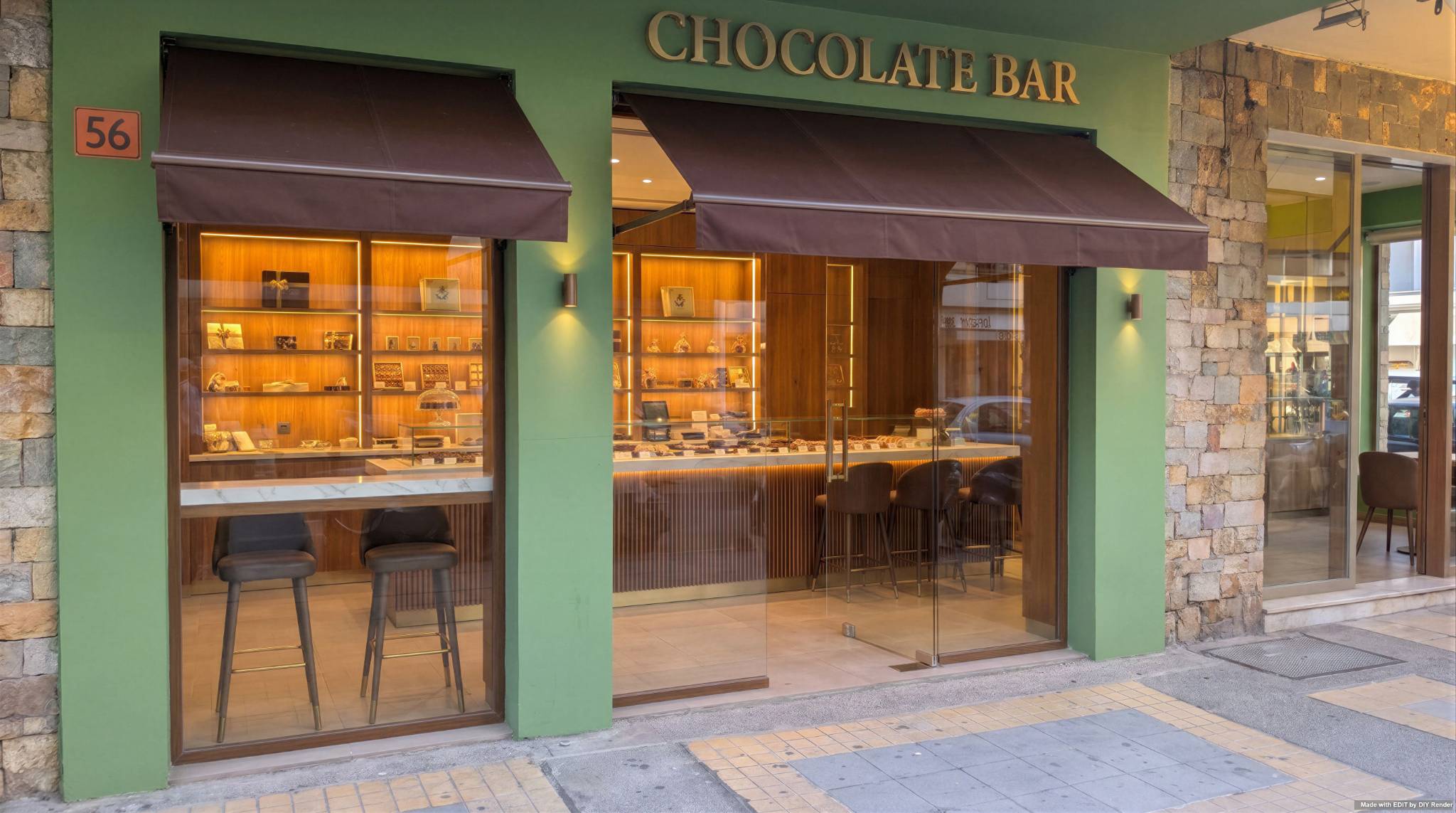 |
Example: Storefront: Remove & Reframe
Tips
- Chain the outputs: Step 2's upload is Step 1's download—don't restart from the original photo.
- Preserve, don't reinvent: in both prompts, name what must stay fixed (geometry, neighboring materials, light) so the rebrand doesn't drift.
- Clean up last: removing figures is easier once the facade is settled, because the model has fewer competing changes to reconcile.
- Failed generations are not charged—refine wording (materials, signage, camera angle) and try again.
Related exterior work
- Coastal Restyle Entire Scene — whole-scene style pass
- Evening Exterior — twilight atmosphere
- Standing Seam Roof — targeted material change on a photo
For elevation drawings rather than photos, see the 3D elevations guide.
Open EDIT to rebrand your storefront.